The Motorola Avigilon ACC or Unity Video platform is a powerful video management system, but at large enterprise scale they can become difficult to manage once they scale into the dozens or hundreds of Network Video Recorders (NVRs) and cameras. Finding the health status of that many NVRs, cameras, and related services when the device numbers in the hundreds or thousands can be daunting.
Would you be notified if an NVR, camera, or other attached VMS device went offline? Sometimes bad things happen. A UPS dies, cable terminations go bad, network switches fail, a firmware update fails, lightning strikes a camera pole, a technician accidently cuts the wrong cable.
How do you know - which NVRs are healthy, which cameras have stopped communicating, which sites are generating the most alarm activity, and which events need attention right now?!
GlobalView360 is built to close that operational gap. It gives enterprise security, IT, and facilities teams a centralized web platform for monitoring Avigilon NVR fleets, reviewing system health, searching events, generating reports, and managing real-time alarm workflows from one place.
The Challenge: Scale Changes Everything
A single Avigilon site is usually manageable through the native VMS tools. The complexity starts when the deployment becomes regional, national, or enterprise-wide. At that point, operators need more than camera views. They need fleet-level awareness.
Common pain points include:
- No quick way to see the health of every NVR and camera across the organization
- Manual effort to identify offline cameras, stale communication, or aging issues
- Email alarm event notifications don't scale well
- Disconnected alarm, event, and activity data spread across systems
- Time zone confusion running multiple reports across different geographical areas
- Limited operational context when investigating recurring alarms or site problems
- Time-consuming report creation for leadership, compliance, and service teams
- Difficulty coordinating settings, rules, and monitoring workflows across many recorders
GlobalView360 helps turn that scattered operational picture into a searchable, reportable, and actionable management layer.
A Central Dashboard for NVR and Camera Health
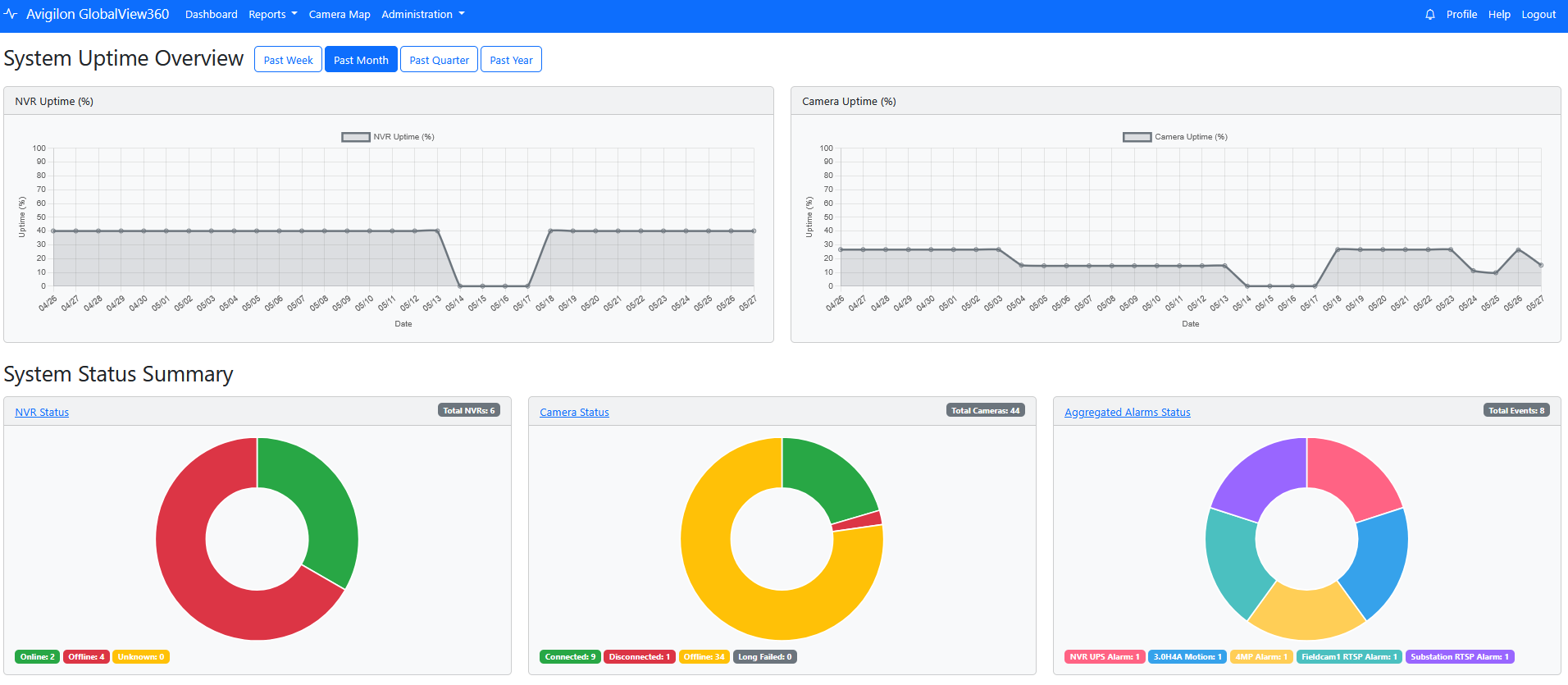
The GlobalView360 dashboard gives teams a fast read on the entire Avigilon environment. Instead of checking sites one by one, users can review NVR status, camera availability, uptime trends, and key health indicators from a single browser-based interface.
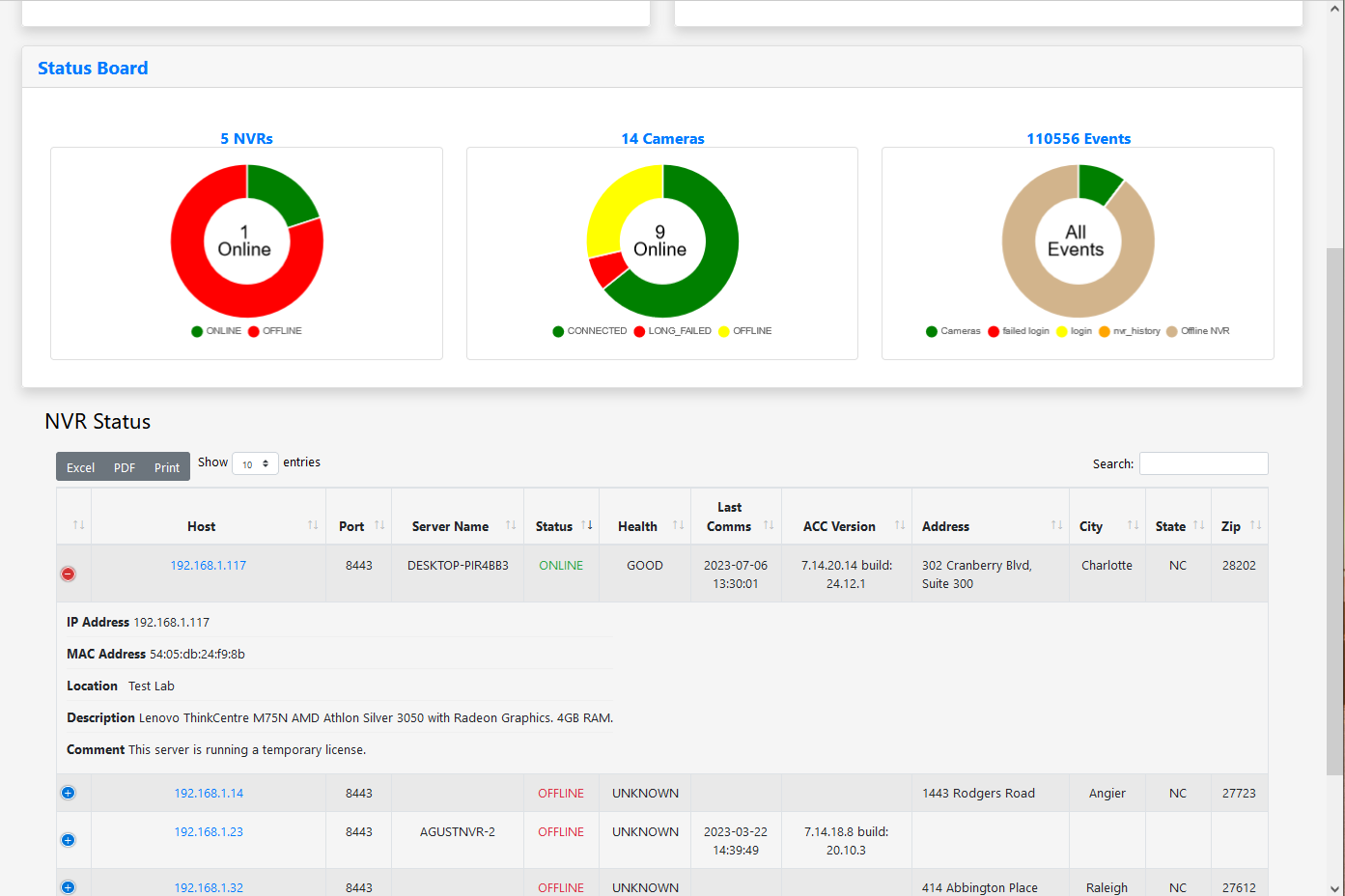
This is especially useful for service teams responsible for many sites. Offline recorders, camera communication problems, and system changes can be spotted faster, reducing the time between a problem appearing and someone taking action. All data is easily exported to PDF or Excel for fast reporting.
Better Reporting Without the Spreadsheet Scramble
Enterprise video systems generate a lot of operational questions. Which cameras were offline last week? Which NVRs have recurring issues? What activity happened during a given period? Which sites need service follow-up?
GlobalView360 includes reporting and export workflows that help teams answer those questions without building every report manually. Activity reports, event reports, camera status views, NVR status views, and PDF exports make it easier to share information with managers, customers, and technical staff.
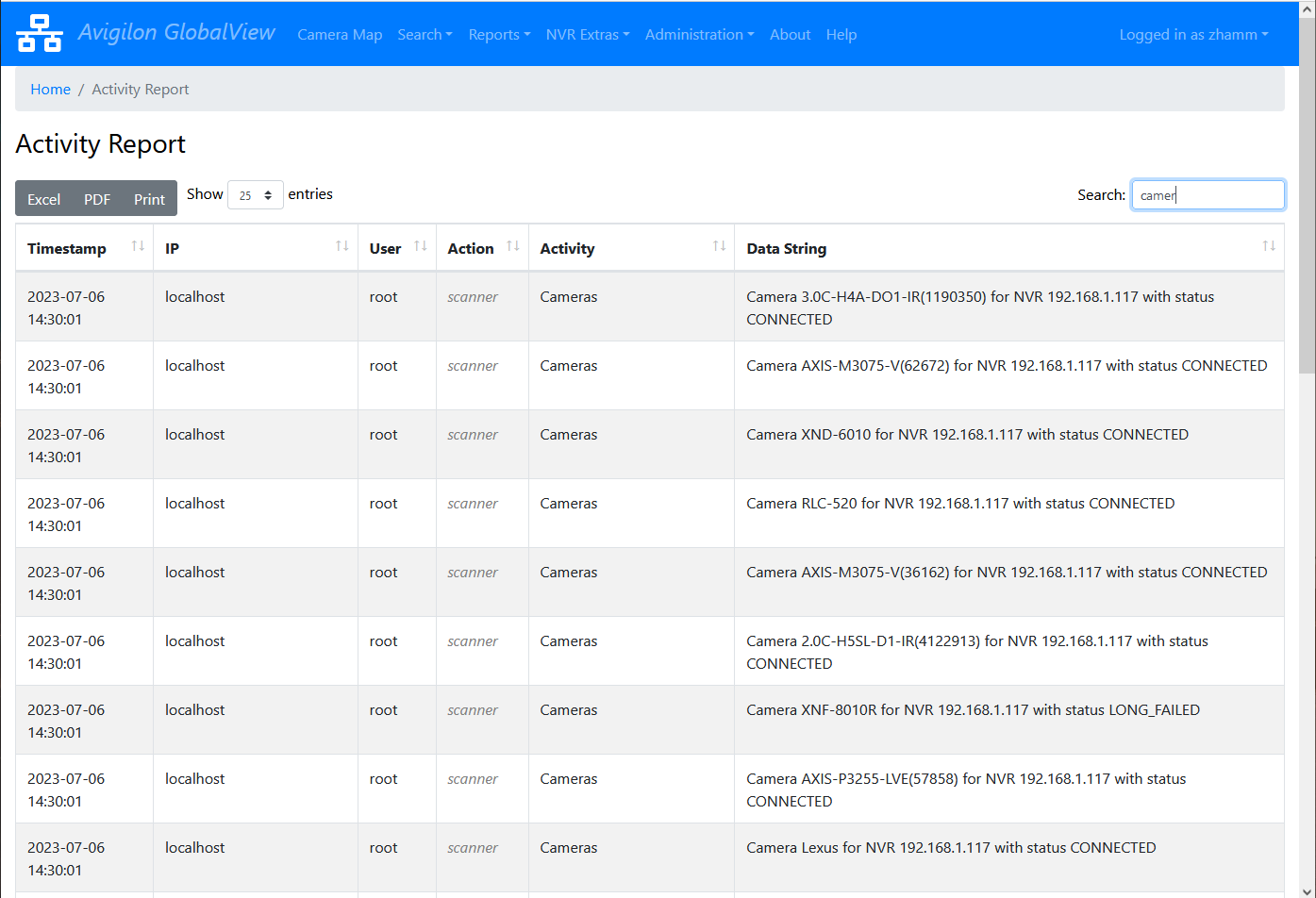
For large deployments, this fills an important gap: operational data becomes easier to communicate. Instead of relying on informal checks or one-off screenshots, teams can produce consistent reports that support maintenance planning, service accountability, and executive visibility.
Map-Based Awareness for Distributed Sites
When cameras and NVRs are spread across buildings, campuses, cities, or regions, location matters. GlobalView360 includes map-based visualization so teams can understand where devices are and how their status relates to the physical environment. Did you know Avigilon Unity (and ACC) supports adding geospatial information for each camera? You can add it automatically using GlobalView360 for each camera and view them all on one map.
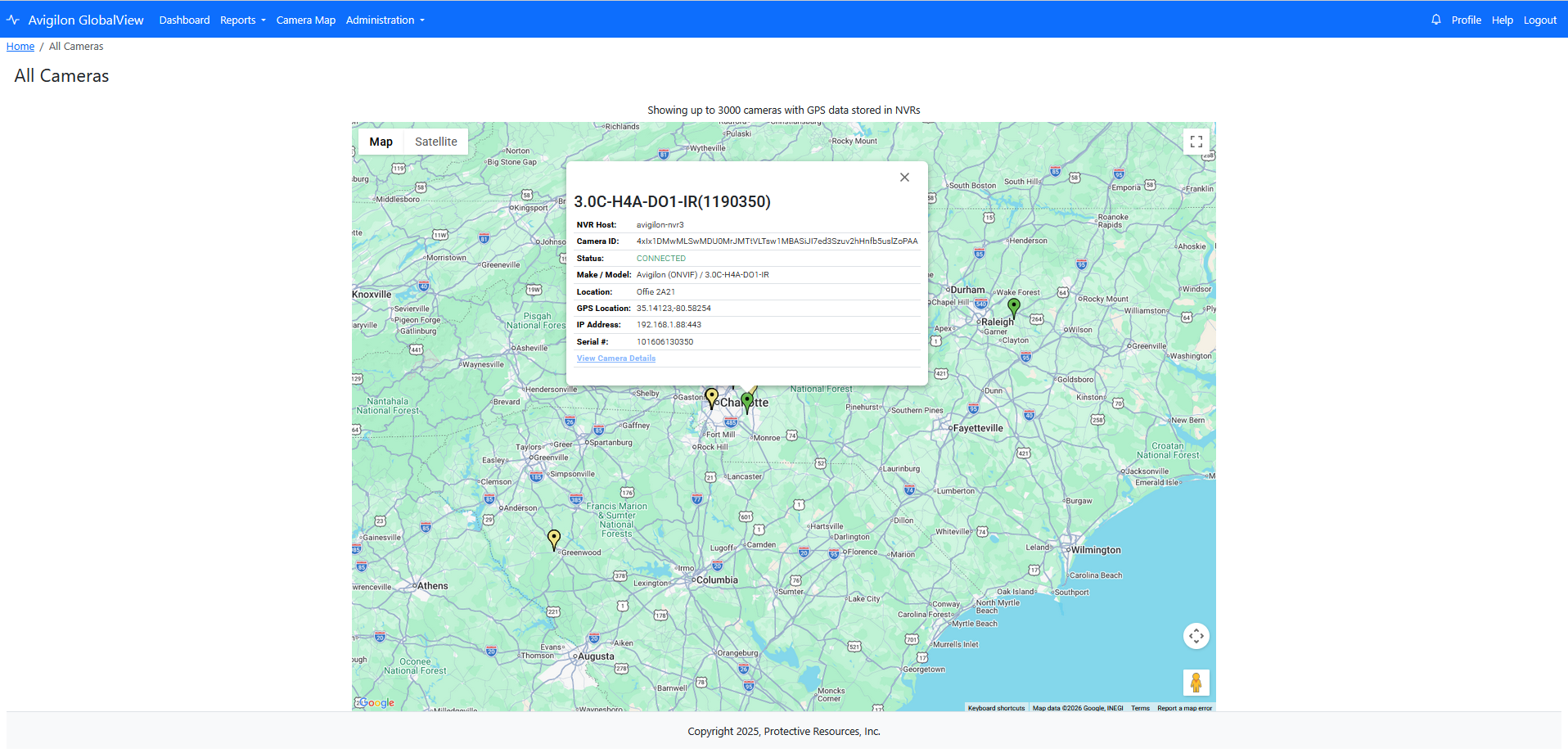
This helps bridge the gap between system monitoring and real-world response. A camera is not just an IP address or a row in a table; it belongs to a site, a location, and an operational need. Mapping makes that context easier to understand at a glance.
Deeper NVR and Camera Detail
Fleet-level monitoring is only useful if users can drill into the details. GlobalView360 provides NVR detail views and camera tabs so teams can move from a high-level dashboard to individual recorder and camera information when something needs investigation. Download a complete dossier report for each NVR complete with every camera status and camera view snapshot to verify camera view and scene integrity.
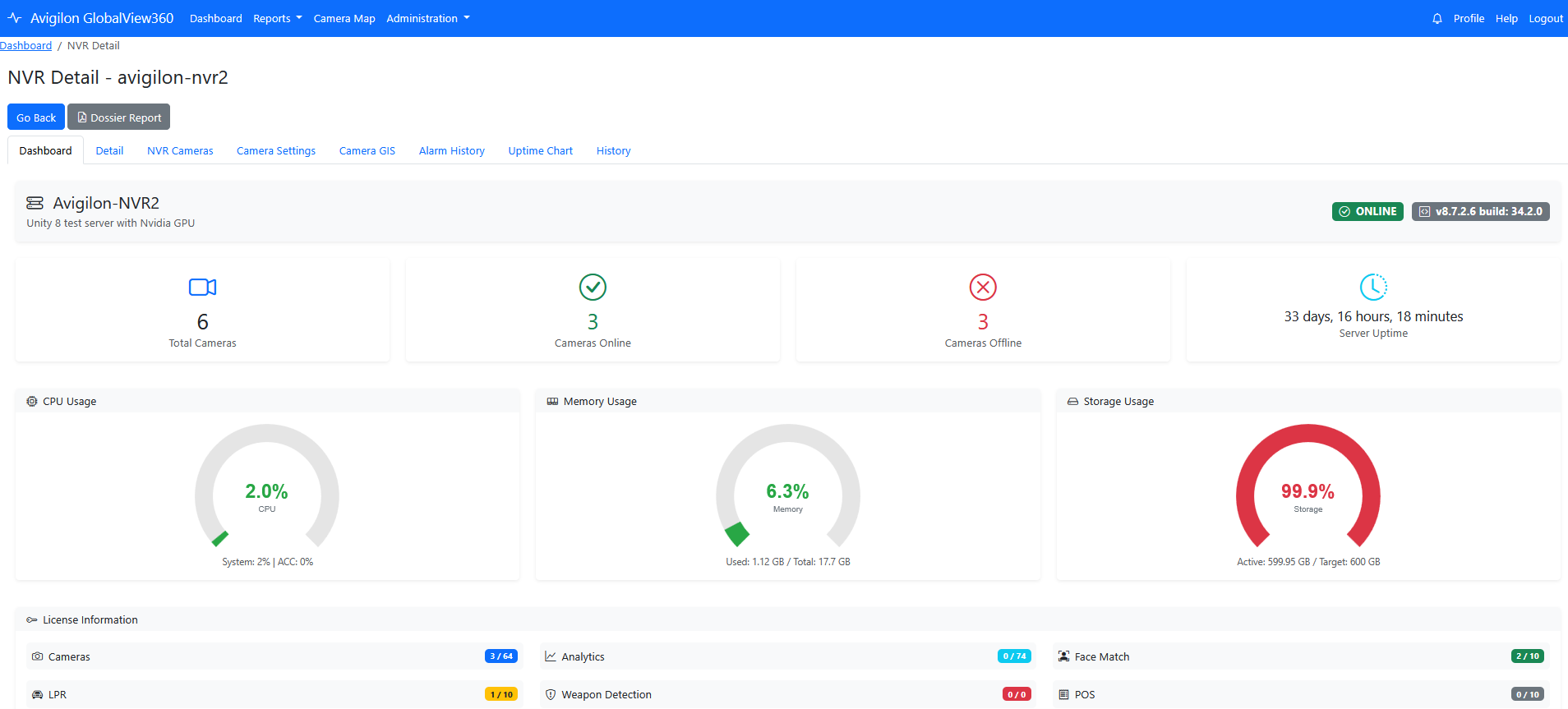
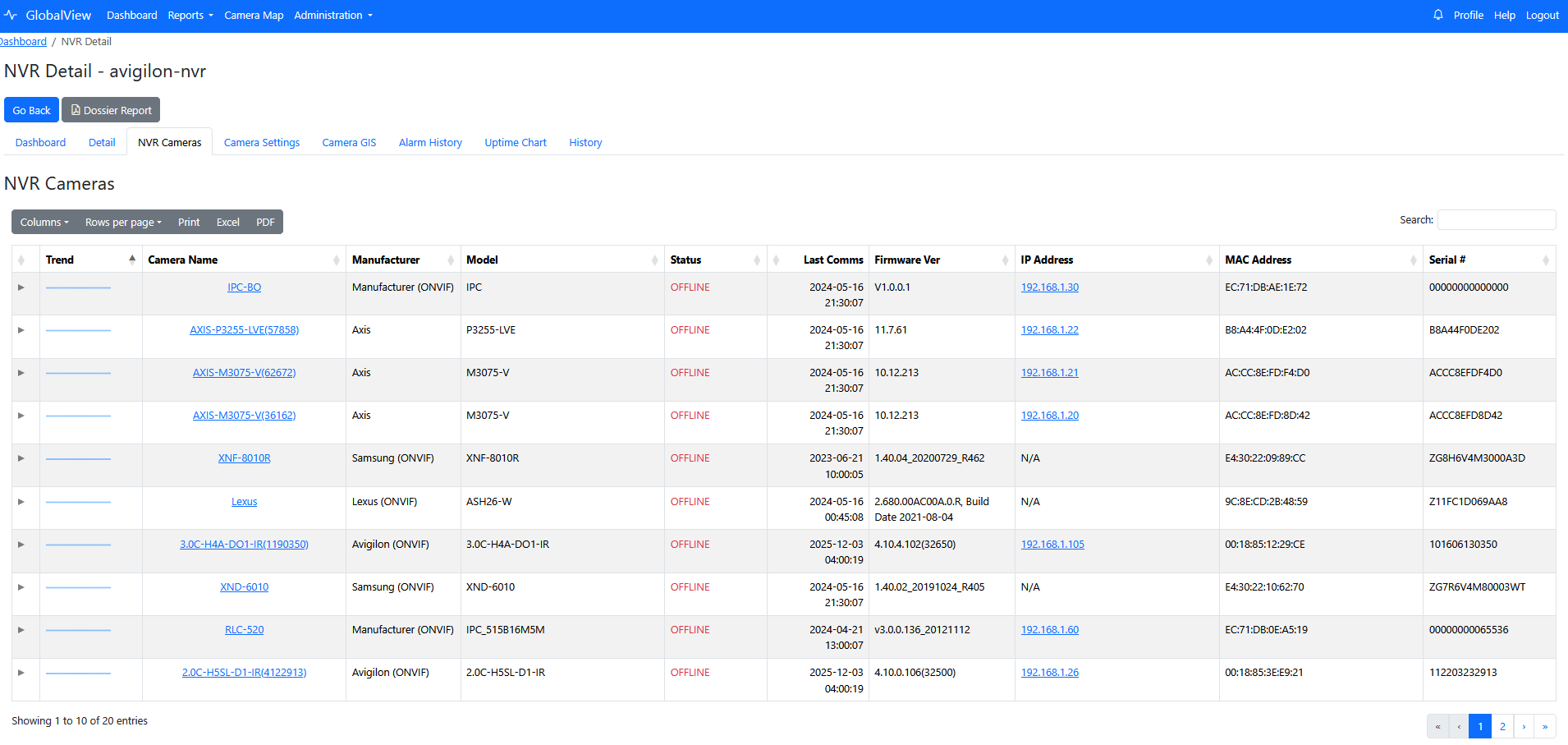
That workflow is important in enterprise environments because the first question is often broad: "What is unhealthy?" The second question is precise: "Which device, at which site, with what history?". GlobalView360 supports both levels of investigation; and all reports are able to be exported to PDF or Excel for quick dissemination to other parties.
Real-Time Events, Webhooks, and Notifications
Monitoring is not only about periodic polling. GlobalView360 also supports webhook-based event flows, allowing NVR systems to push events into the platform for real-time processing. Teams can configure event handling, review activity, and build notification workflows around the events that matter most.
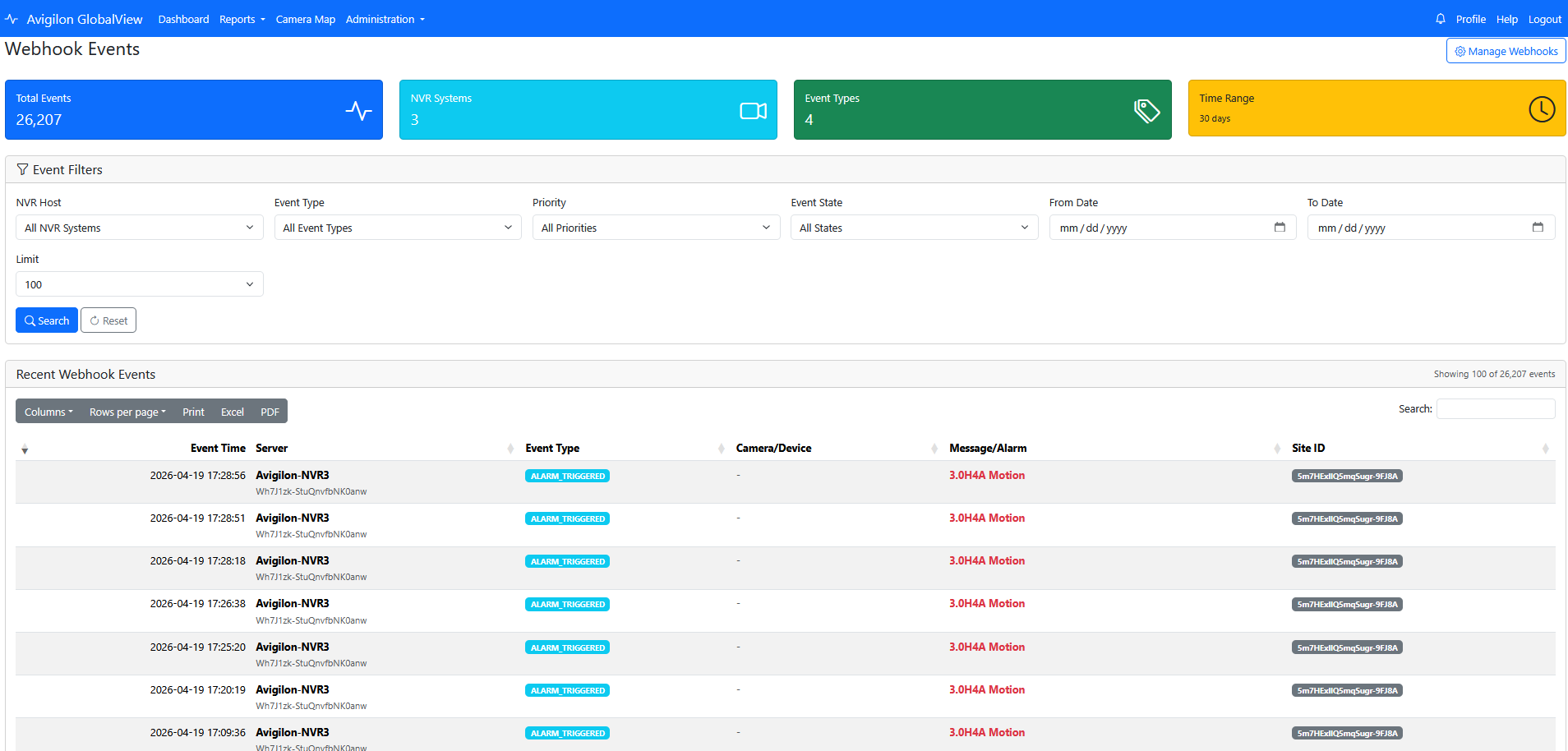
For operations teams, this helps reduce blind spots. Instead of waiting for someone to manually discover an issue or dig through a recorder, event data can feed dashboard notifications, alert workflows, and downstream integrations.
AI-Assisted Alarm Review
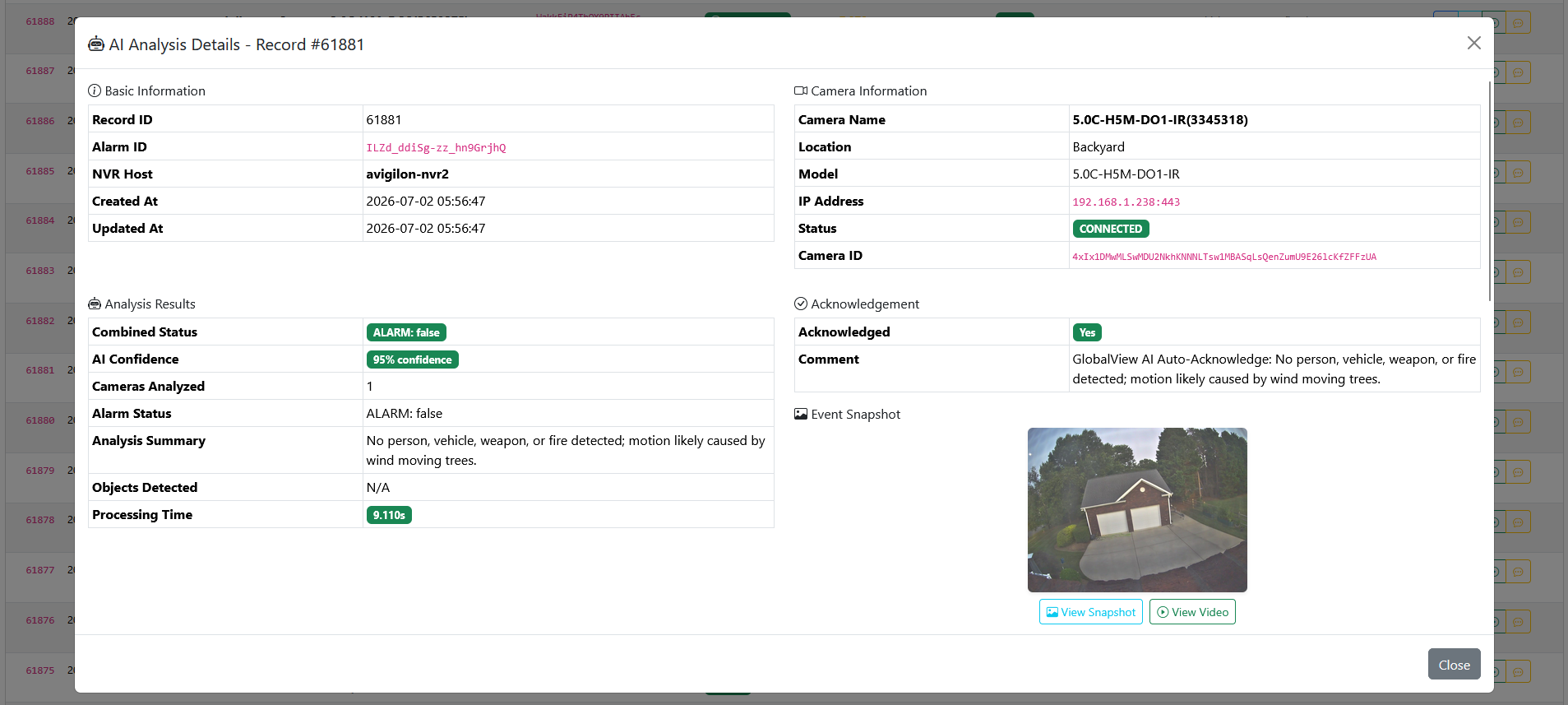
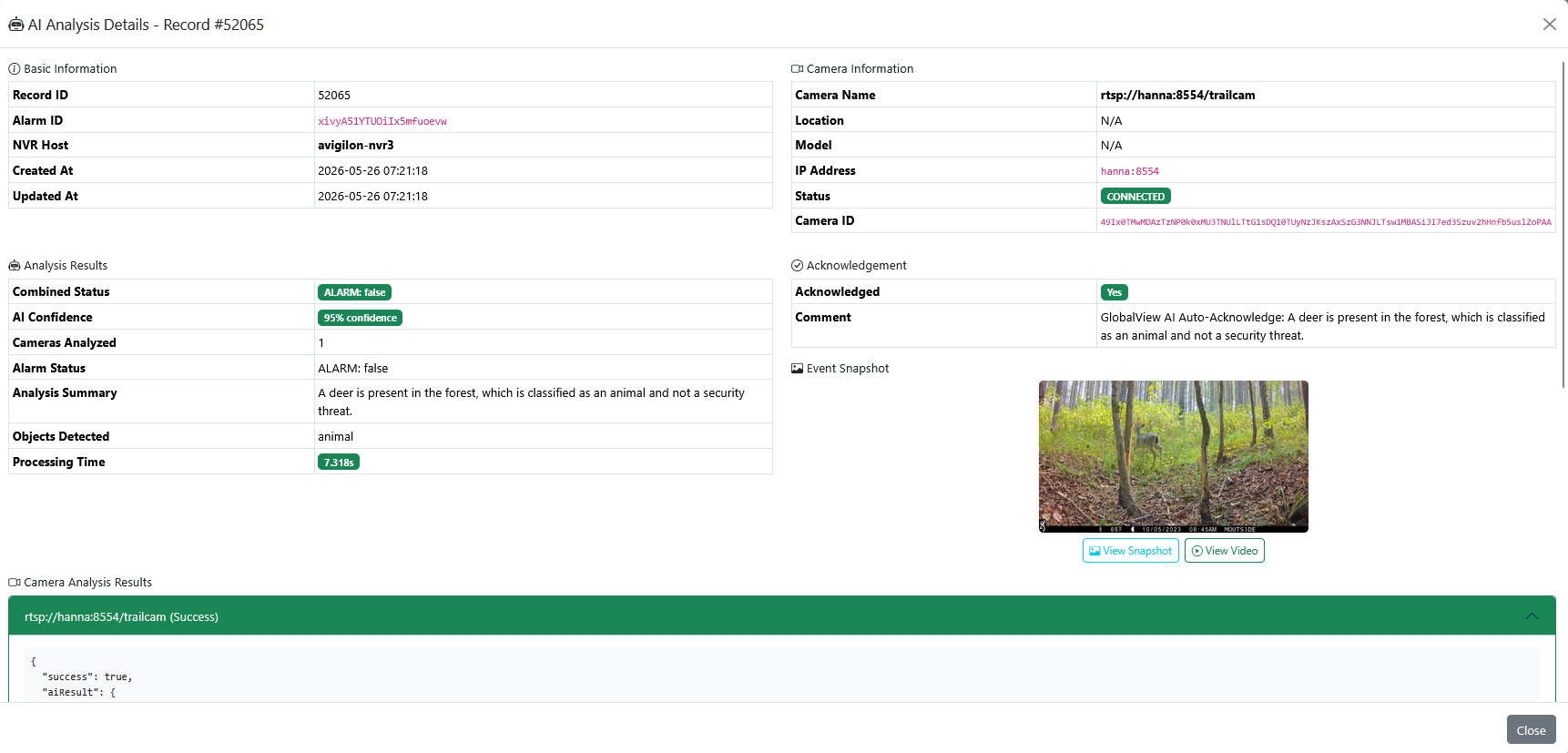
GlobalView360 also includes AI-assisted alarm processing features designed to help teams triage and understand alarm activity more efficiently. In large deployments, alarms can be noisy, repetitive, or difficult to prioritize. AI-assisted analysis gives operators another layer of context when reviewing event activity.
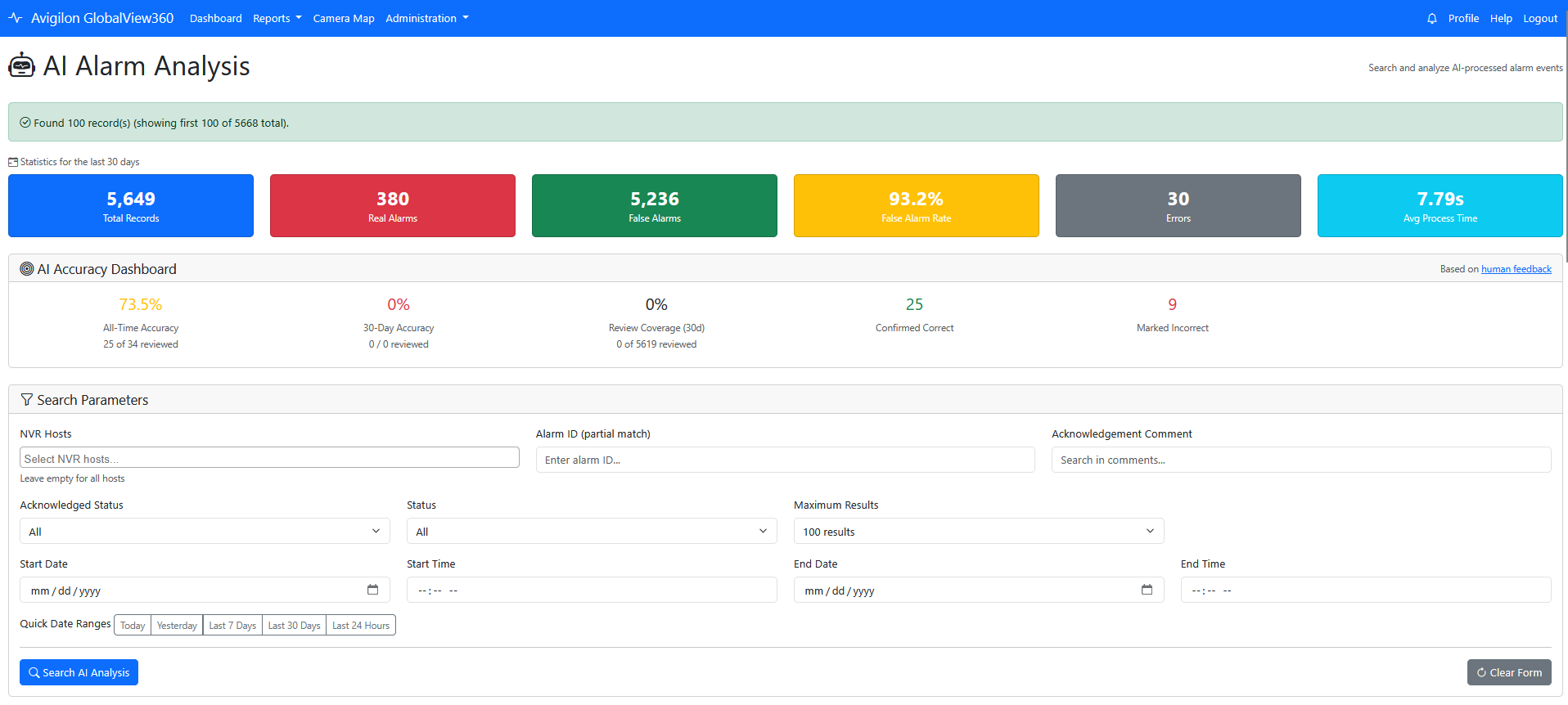
The goal is not to replace operator judgment. It is to help teams move faster by summarizing activity, highlighting relevant details, and reducing the amount of manual review required for routine alarm investigation.
Administration Built for Enterprise Operations
GlobalView360 is designed as an operational layer, so administration matters. The platform includes tools for managing NVR connections, configuring application settings, controlling users and permissions, and supporting different authentication approaches like LDAP, Azure/AD, and Google SSO.
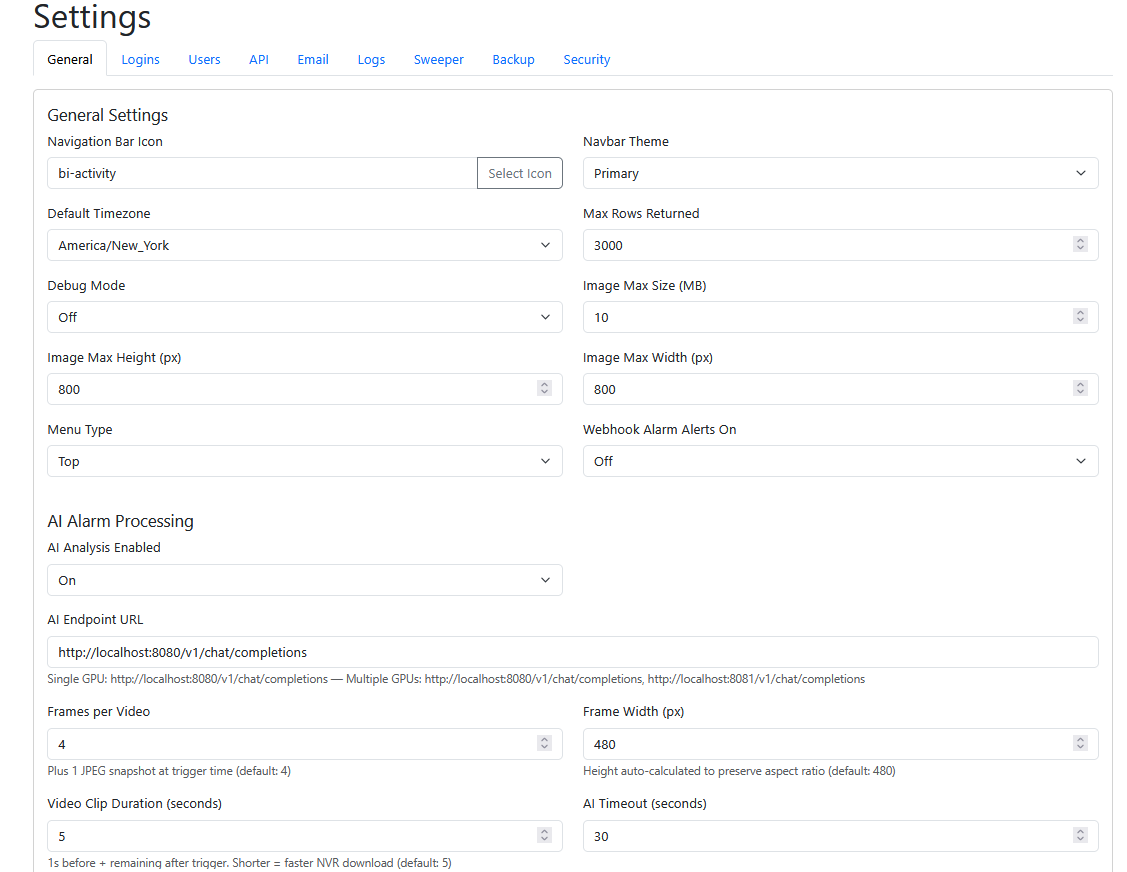
For enterprise teams, this fills a practical need: the monitoring platform itself must be manageable, secure, and adaptable. Role-based access, configurable settings, and centralized NVR management help make GlobalView360 useful for both daily operators and system administrators.
How GlobalView360 Works
At a high level, GlobalView360 connects to Avigilon NVR systems, collects status and event data, stores that information centrally, and presents it through dashboards, searches, reports, maps, and notification workflows.
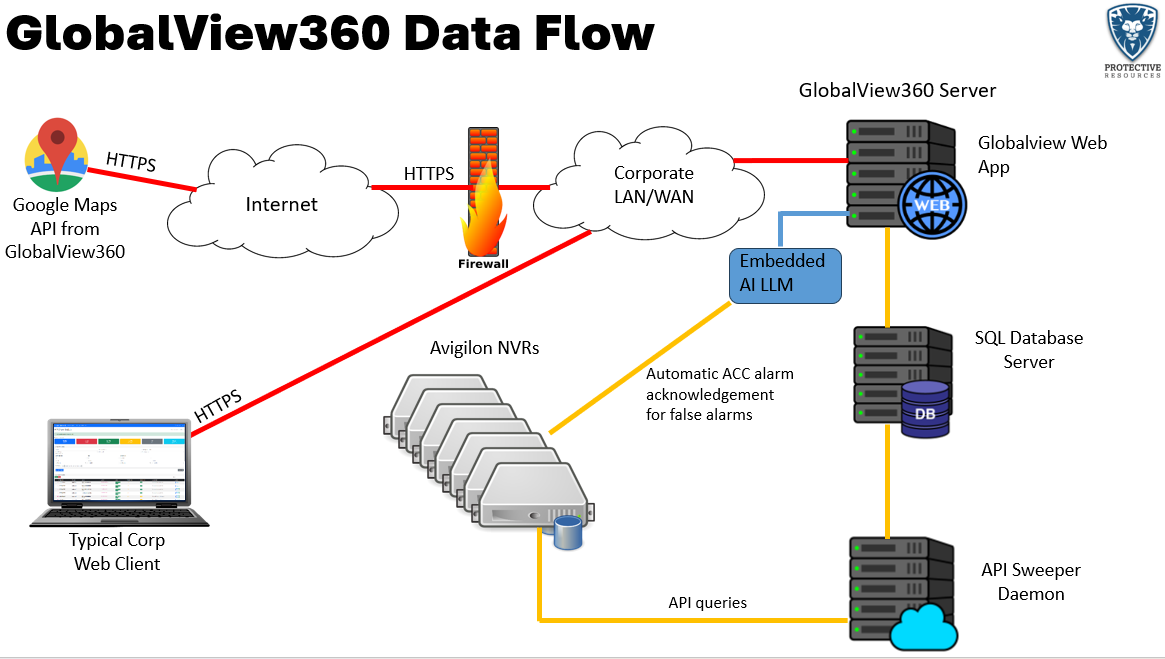
The platform combines scheduled background polling with event-driven webhook processing. Scheduled collection helps maintain an ongoing picture of recorder and camera health. Webhooks help bring important events into the system quickly. Together, those workflows create a broader operational view than teams usually get from managing each recorder independently.
The Gap GlobalView360 Fills
Avigilon Unity Video and ACC VMS platforms are excellent at video management. GlobalView360 focuses on the enterprise management layer around that VMS: visibility, reporting, fleet health, event workflows, and operational accountability.
For large organizations, that distinction matters. The bigger the deployment, the more teams need tools that answer fleet-level questions:
- Are all sites healthy today?
- Which cameras or NVRs need attention?
- What changed recently?
- Which events should be reviewed first?
- Can leadership get a clear report without a custom data pull?
- Can administrators manage monitoring and event workflows centrally?
GlobalView360 gives those teams a single place to start.
A Practical Command Center for Avigilon Operations
GlobalView360 is built for organizations that need to operate Avigilon deployments at scale. It brings together dashboard monitoring, detailed device views, reporting, mapping, events, AI-assisted alarm review, and administrative controls in a web platform designed for enterprise use.
The result is a clearer operating picture. Teams spend less time hunting for status, manually building reports, or jumping between systems, and more time responding to the issues that actually affect security coverage and service quality.
For enterprises running large Avigilon environments, GlobalView360 provides the missing management layer between powerful video infrastructure and the day-to-day operational visibility needed to keep that infrastructure healthy.
For more information visit our website at https://www.protectiveresources.com/globalview360/